Input devices are composed of a device that accepts data and instructions from the user or from another computer system. It is a piece of computer hardware equipment used to provide data and control signals to an information processing system such as a computer or information appliance.
TWO TYPES OF INPUT DEVICES
-
Keyboard Entry
Data is inputted to the computer through a keyboard. A piece of information fed manually into a computing system by means of a set of keys, such as a typewriter.
1.) Keyboard
The first input device developed for the PC. Data is transferred to the PC over a short cable with a circular 6-pin Mini-din connector that plugs into the back of the motherboard.
A computer keyboard is one of the primary input devices used with a computer that looks similar to those found on electric typewriters, but with some additional keys. Keyboards allow you to input letters, numbers, and other symbols into a computer that can serve as commands or be used to type text.

-
DIRECT ENTRY
A form of input that does not require data to be keyed by someone sitting at a keyboard. Direct-entry devices create machine-readable data on paper, or magnetic media, or feed it directly into the computer’s CPU.
THREE TYPES OF DIRECT ENTRY
1.) Pointing Devices
An input device used to move the pointer (cursor) on screen. A pointing device, or sometimes called a pointing tool, is a hardware input device that allows the user to move the mouse cursor in a computer program or GUI operating system. Using a pointing device allows you to point at or manipulate any object or text on the screen.
-
Mouse
The most common ‘pointing device’ used in PCs. Every mouse has two buttons and most
have one or two scroll wheels.A computer mouse is a hand-held pointing device that detects two-dimensional motion relative to a surface. This motion is typically translated into the motion of a pointer on a display, which allows a smooth control of the graphical user interface.

-
Touch Screen
A display screen that is sensitive to the touch of a finger or stylus. Used in myriad applications, including ATM machines, retail point-of-sale terminals, car navigation and industrial controls. The touch screen became wildly popular for smart phones and tablets.
A touchscreen is an input device and normally layered on the top of an electronic visual display of an information processing system. A user can give input or control the information processing system through simple or multi-touch gestures by touching the screen with a special stylus or one or more fingers.

-
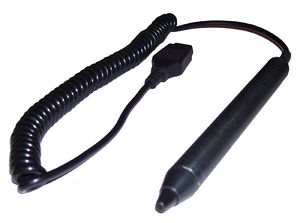
Light Pen
A light-sensitive stylus wired to a video terminal used to draw pictures or select menu options. The user brings the pen to the desired point on screen and presses the pen button to make contact.
A light pen is a computer input device in the form of a light-sensitive wand used in conjunction with a computer’s CRT display.
-
Digitizer Tablet
A graphics drawing tablet used for sketching new images or tracing old ones. Also called a “graphics tablet,” the user contacts the surface of the device with a wired or wireless pen or puck. Often mistakenly called a mouse, the puck is officially the “tablet cursor.”
A digitizer tablet is a peripheral device that allows users to draw on a computer screen. Tablets are typically used by artists working with graphics software such as Adobe Photoshop or Illustrator. Tablets allow for much more precise control than a mouse or trackball does by using a stylus like a pen.
A digitizer tablet is also known as a graphics tablet.

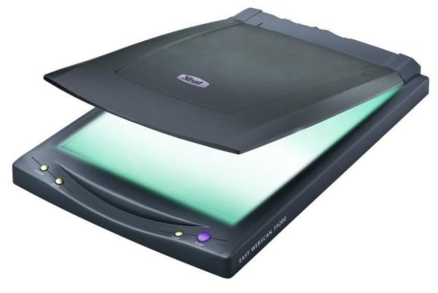
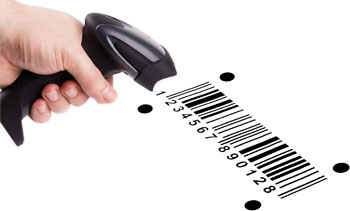
2. Scanning Devices
A device that can read text or illustrations printed on paper and translates the information into a form the computer can use. It is an electronic device which scans artwork and illustrations and converts the images to digital form for manipulation, and incorporation into printed publications. It is any machine which is used to examine, identify, or record things.
3. Voice- Input Devices
Audio input devices also known as speech or voice recognition systems that allow a user to send audio signals to a computer for processing, recording, or carrying out commands. Audio input devices such as microphones allow users to speak to the computer in order to record a voice message or navigate software.
A device in which speech is used to input data or system commands directly into a system. Such equipment involves the use of speech recognition processes, and can replace or supplement other input devices.

Output Devices is any device used to send data from a computer to another device or user. Most computer data output that is meant for humans is in the form of audio or video. Thus, most output devices used by humans are in these categories. Examples include monitors, projectors, speakers, headphones and printers.
1. Computer Display Monitor
It displays information in visual form, using text and graphics. The portion of the monitor that displays the information is called the screen or video display terminal. A computer monitor is an electronic device that shows pictures for computers. Monitors often look similar to televisions. The main difference between a monitor and a television is that a monitor does not have a television tuner to change channels. Monitors often have higher display resolution than televisions. A high display resolution makes it easier to see smaller letters and fine graphics.
Types of Monitor
a. CRT Monitors
Cathode Ray Tubes (CRT) were the only type of displays for use with desktop PCs. They are relatively big (14″ to 16″ deep) and heavy (over 15 lbs). The cathode ray tube (CRT) is a vacuum tube that contains one or more electron guns and a phosphorescent screen, and is used to display images. It modulates, accelerates, and deflects electron beam(s) onto the screen to create the images. The images may represent electrical waveforms (oscilloscope), pictures (television, computer monitor), radar targets, or other phenomena. CRTs have also been used as memory devices, in which case the visible light emitted from the fluorescent material (if any) is not intended to have significant meaning to a visual observer (though the visible pattern on the tube face may cryptically represent the stored data).

b. LCD Monitors
Liquid Crystal Display (LCD) technology has been used in laptops for some time. It has recently been made commercially available as monitors for desktop PCs. A liquid crystal display (LCD) monitor is a computer monitor or display that uses LCD technology to show clear images, and is found mostly in laptop computers and flat panel monitors. This technology has replaced the traditional cathode ray tube (CRT) monitors, which were the previous standard and once were considered to have better picture quality than early LCD variants.
:max_bytes(150000):strip_icc()/dell-ultrasharp-oled-monitor-59e6522f519de200125ea0ac.PNG)
c. LED Monitors (Light Emitting Diode)
A display and lighting technology used in almost every electrical and electronic product on the market, from a tiny on/off light to digital readouts, flashlights, traffic lights and perimeter lighting. An LED monitor (short for Light Emitting Diode) or LED display is a flat screen, flat panel computer monitor or television. It has a very short depth and is light in terms of weight.

2. LCD Projectors
Utilize two sheets of polarizing material with a liquid crystal solution between them. An electric current passed through the liquid causes the crystals to align so that light cannot pass through them. Each crystal, therefore, is like a shutter, either allowing light to pass through or blocking the light. An LCD projector is a type of video projector for displaying video, images or computer data on a screen or other flat surface. It is a modern equivalent of the slide projector or overhead projector.

3. Smart Board
A type of display screen that has a touch sensitive transparent panel covering the screen, which is similar to a touch screen. A smart board is an interactive white board. It can be connected to one or more laptops, PCs, tablets, or other electronic devices.

4. Printer
A device that prints text or illustrations on paper. A printer is a peripheral device which makes a persistent human-readable representation of graphics or text on paper.
Types of Printer
a) Ink-Jet or Bubble-Jet Printer
Spays ink at a sheet of paper. Ink-jet printers produce high-quality text and graphics. An inkjet printer is a computer peripheral that produces hard copy by spraying ink onto paper. A typical inkjet printer can produce copy with a resolution of at least 300 dots per inch ( dpi ).

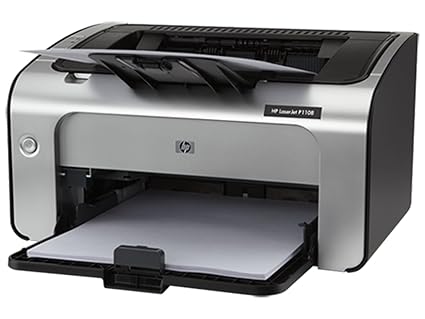
b) Laser Printer
Uses the same technology as copy machines. Laser printers produce very high quality text and graphics. A laser printer is a popular type of personal computer printer that uses a non-impact (keys don’t strike the paper), photocopier technology.
c) LCD and LED Printer
Similar to a laser printer, but uses liquid crystals or light-emitting diodes rather than a laser to produce an image on the drum. Both LED (light emitting diodes) and LCD (liquid crystal display) printer technologies use a Xerographic printing process to produce their documents. However, their name derives from using either LEDs or LCDs and not a laser beam to transfer an electrostatic image to the photoreceptor.

d) Line Printer
Contains a chain of characters or pins that print an entire line at one time. Line printers are very fast, but produce low-quality print. A line printer prints one entire line of text before advancing to another line.

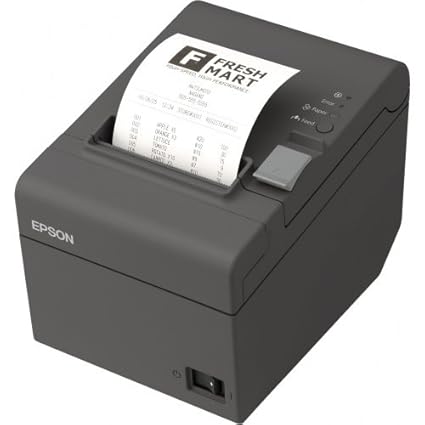
e) Thermal Printer
An inexpensive printer that works by pushing heated pins against heat-sensitive paper. Thermal printers are widely used in calculators and
fax machines. A thermal printer is a printer that makes use of heat in order to produce the image on paper. Due to quality of print, speed, and technological advances it has become increasingly popular and is mostly used in airline, banking, entertainment, retail, grocery, and healthcare industries.
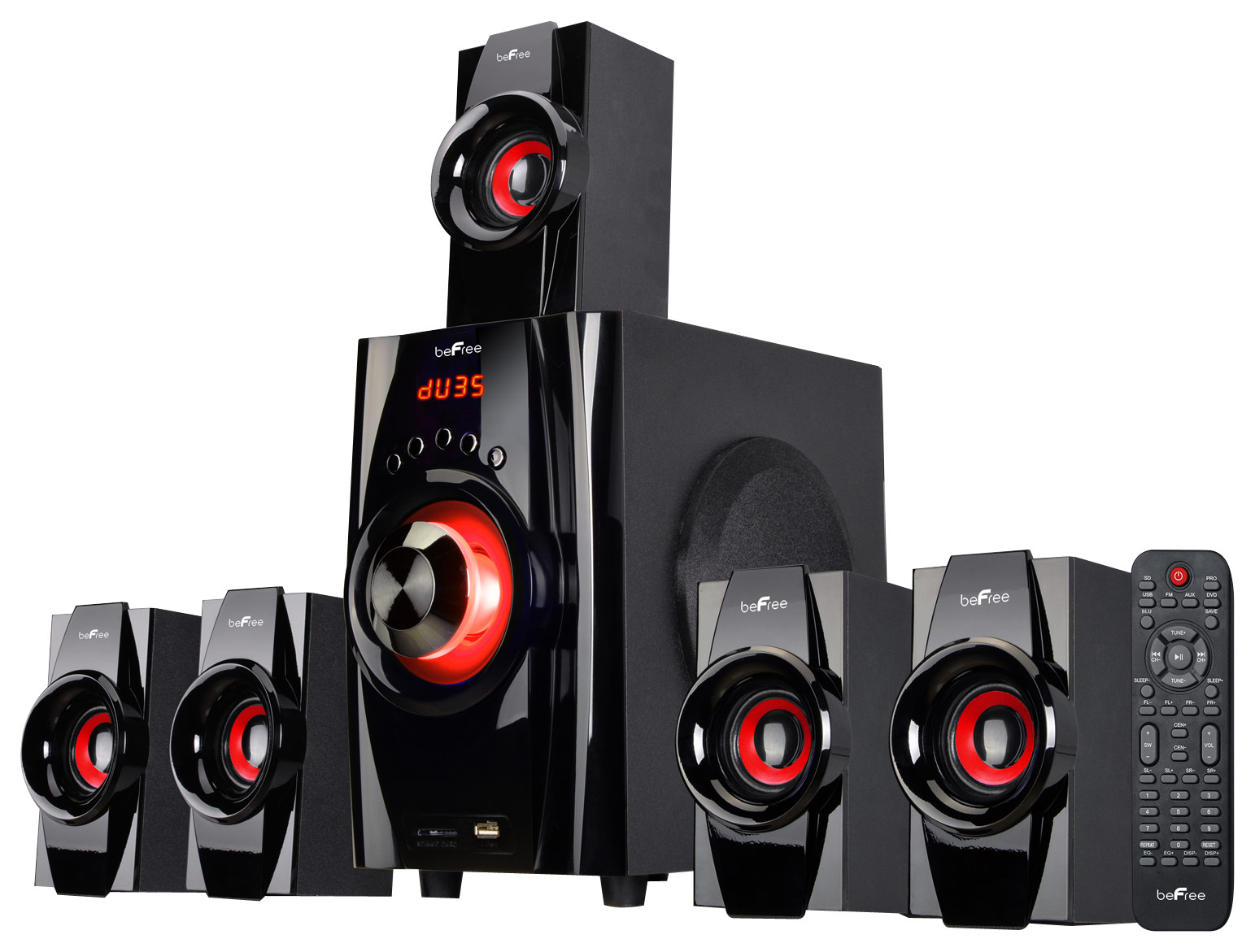
5. Speakers
Used to play sound. They may be built into the system unit or connected with cables. Speakers allow you to listen to music and hear sound effects from your computer. Computer speakers, or multimedia speakers, are speakers sold for use with computers, although usually capable of other audio uses, e.g. for an MP3 player.
STORAGE DEVICES
Storage device is any apparatus for recording computer data in a permanent or semi-permanent form. It is the device that performs a special task in computing system. Alternatively referred to as digital storage, storage, storage media, or storage medium, a storage device is any hardware capable of holding information either temporarily or permanently.
Types of storage devices
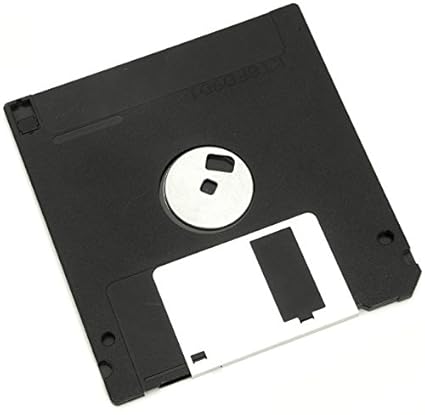
Floppy diskette
Is a random access, removable data storage medium that can be used with personal computers. The term usually refers to the magnetic medium housed in a rigid plastic cartridge measuring 3.5 inches square and about 2 millimeters thick. Also called a “3.5-inch diskette,” it can store up to 1.44 megabytes (MB) of data. A floppy disk, also called a floppy, diskette, or just disk, is a type of disk storage composed of a disk of thin and flexible magnetic storage medium, sealed in a rectangular plastic enclosure lined with fabric that removes dust particles. Floppy disks are read and written by a floppy disk drive (FDD).
Compact disc (CD)
Also called optical disc is a nonmagnetic, polished metal disk used to store digital information. The disc is read by the CD- ROM. Compact disc (CD) is a digital optical disc data storage format that was co-developed by Philips and Sony and released in 1982. The format was originally developed to store and play only sound recordings (CD-DA) but was later adapted for storage of data (CD-ROM).

Digital Versatile Disc (DVD)
An optical disc technology with a 4.7 gigabyte storage capacity on a single-sided, one-layered disk, which is enough for a 133-minute movie. A DVD is a type of optical media used for storing digital data. It is the same size as a CD, but has a larger storage capacity.

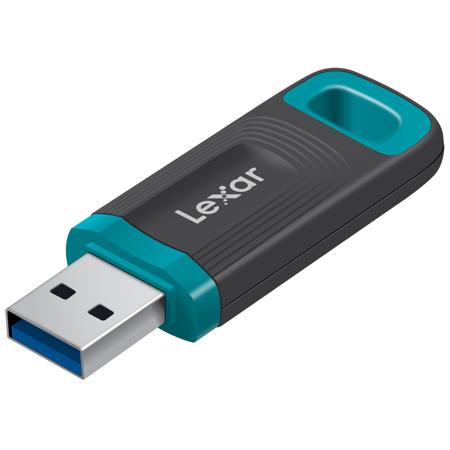
Jump drive and USB flash drive
Is a plug-and-play portable storage device that uses flash memory and is lightweight enough to attach to a key chain. A USB drive can be used in place of a floppy disk, Zip drive disk, or CD. USB flash drives are portable devices that make it easy to transfer computer files. USB jump drives and flash drives both use the same type of flash technology that allow files to be saved to the drive.
Hard drive
Is the main, and usually largest, data storage device in a computer. The operating system, software titles and most other files are stored in the hard disk drive. It is an electromechanical data storage device that uses magnetic storage to store and retrieve digital information using one or more rigid rapidly rotating disks (platters) coated with magnetic material.

REFERENCES:
- https://encyclopedia2.thefreedictionary.com/keyboard+entry
- https://www.computerhope.com/jargon/k/keyboard.htm
- https://www.computerhope.com/jargon/p/poindevi.htm
- https://en.wikipedia.org/wiki/Computer_mouse
- https://en.wikipedia.org/wiki/Touchscreen
- https://en.wikipedia.org/wiki/Light_pen
- https://www.techopedia.com/definition/13889/digitizer-tablet
- https://www.collinsdictionary.com/dictionary/english/scanning-device
- https://www.encyclopedia.com/computing/dictionaries-thesauruses-pictures-and-press-releases/voice-input-device
- https://www.techopedia.com/definition/3538/output-device
- https://simple.wikipedia.org/wiki/Computer_monitor
- https://en.wikipedia.org/wiki/Cathode_ray_tube
- https://www.techopedia.com/definition/8021/liquid-crystal-display-monitor-lcd-monitor
- https://www.computerhope.com/jargon/l/led-monitor.htm
- https://en.wikipedia.org/wiki/LCD_projector
- https://www.really-learn-english.com/what-is-a-smart-board.html
- https://en.wikipedia.org/wiki/Printer_(computing)
- https://whatis.techtarget.com/definition/inkjet-printer
- https://whatis.techtarget.com/definition/laser-printer
- http://a3laserprinters.com/index.php?option=com_content&view=article&id=10:led-and-lcd-printers-are-these-laser-printers&catid=2&Itemid=7
- https://en.wikipedia.org/wiki/Line_printer
- https://www.techopedia.com/definition/3629/thermal-printer
- https://en.wikipedia.org/wiki/Computer_speakers
- https://www.computerhope.com/jargon/s/stordevi.htm
- https://en.wikipedia.org/wiki/Floppy_disk
- https://en.wikipedia.org/wiki/Compact_disc
- https://techterms.com/definition/dvd
- https://www.techwalla.com/articles/difference-between-jump-drives-flash-drives
- https://en.wikipedia.org/wiki/Hard_disk_drive

 Computer: A Series